 Oh-My-Note
切换上下文
Nest 支持创建 HTTP 服务、WebSocket 服务,还有基于 TCP 通信的微服务。
这些不同类型的服务都需要 Guard、Interceptor、Exception Filter 功能。
那么问题来了:
不同类型的服务它能拿到的参数是不同的,比如 http 服务可以拿到 request、response 对象,而 ws 服务就没有,如何让 Guard、Interceptor、Exception Filter 跨多种上下文复用呢?
Nest 的解决方法是 ArgumentHost 和 ExecutionContext 类。
ArgumentHost
在捕获异常时,我们可以拿到 ArgumentHost 参数。
为了做这一步,我们先创建一个 filter
bash1nest generate filter aaa
这时会生成以下代码:
typescript1// aaa.filter.ts
2import { ArgumentsHost, Catch, ExceptionFilter } from '@nestjs/common'
3import { AaaException } from 'src/exception/aaaException'
4
5@Catch()
6export class AaaFilter<T> implements ExceptionFilter {
7  catch(exception: T, host: ArgumentsHost) {}
8}
Nest 会 catch 所有未捕获异常,如果是 Exception Filter 声明的异常,那就会调用 filter 来处理。
再创建一个自定义异常 class
ts1export class AaaException {
2  constructor(public aaa: string, public bbb: string) {
3    console.log('aaa', aaa)
4    console.log('bbb', bbb)
5  }
6}
在 @Catch 装饰器里声明,让 filter 处理该异常:
typescript1@Catch(AaaException)
2export class AaaFilter implements ExceptionFilter {
3  catch(exception: AaaException, host: ArgumentsHost) {
4    console.log('——————🚀🚀🚀🚀🚀 —— exception:', exception)
5    console.log('——————🚀🚀🚀🚀🚀 —— host:', host.getType())
6  }
7}
然后需要启用它:
typescript1  @Get()
2  @UseFilters(AaaFilter)
3  getHello(): string {
4    throw new AaaException('aaa', 'bbb');
5    return this.appService.getHello();
6  }
直接访问http://localhost:3000/就可以看到捕获到异常了:
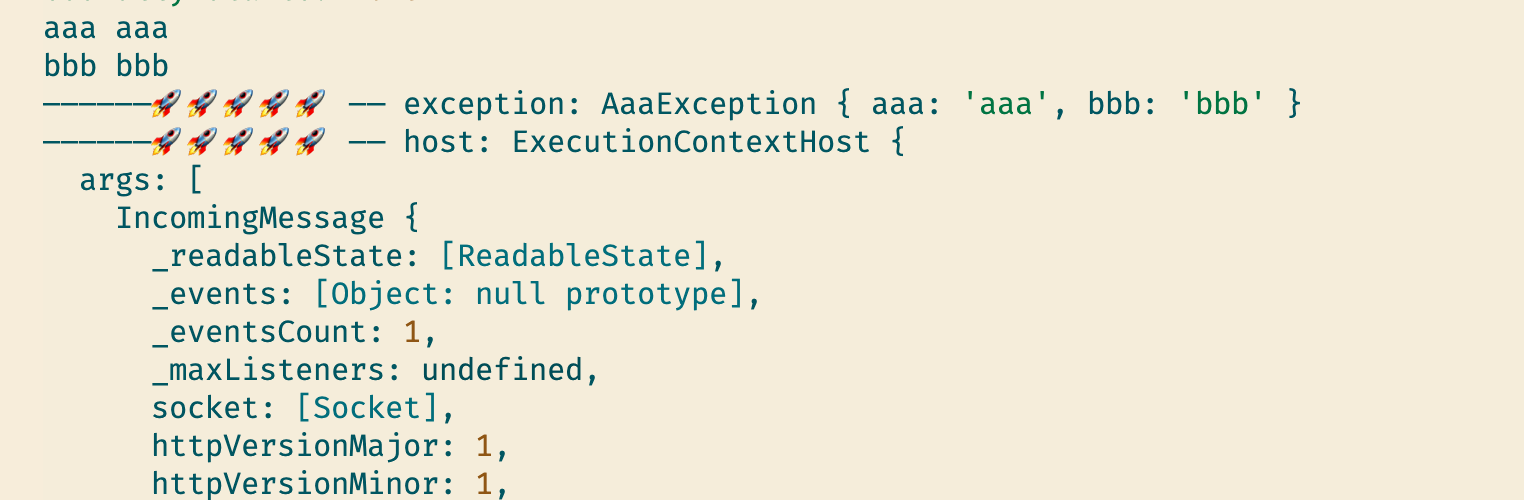
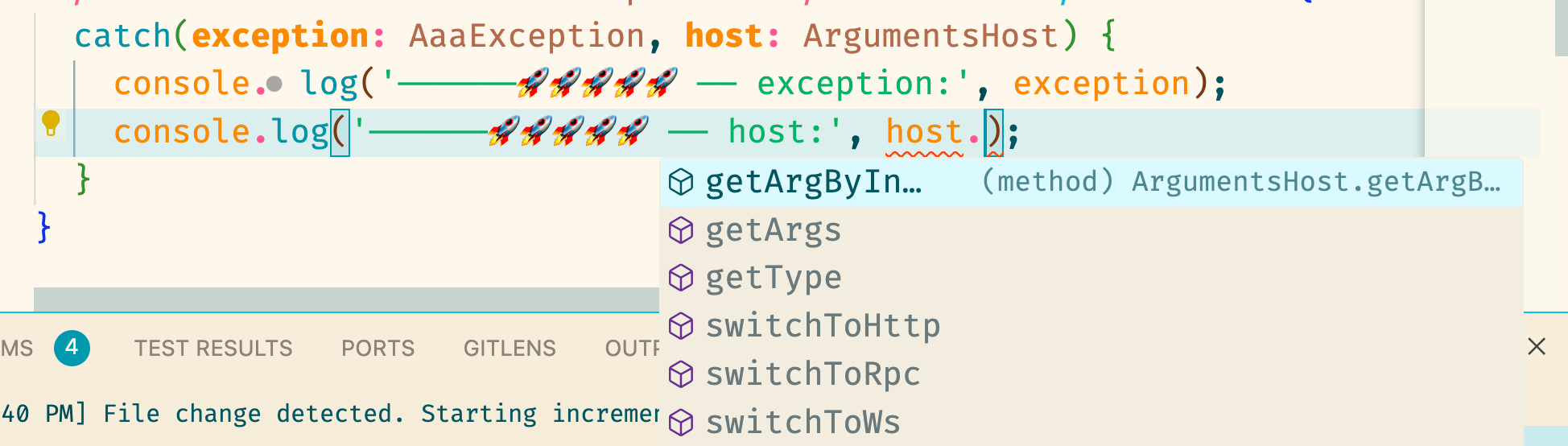
这个 host 是什么呢?通过 Typescript 能够看到它有一些方法:
在 debug 时,我们其实可以通过DEBUG CONSOLE来查看 host 的方法里都有些什么:
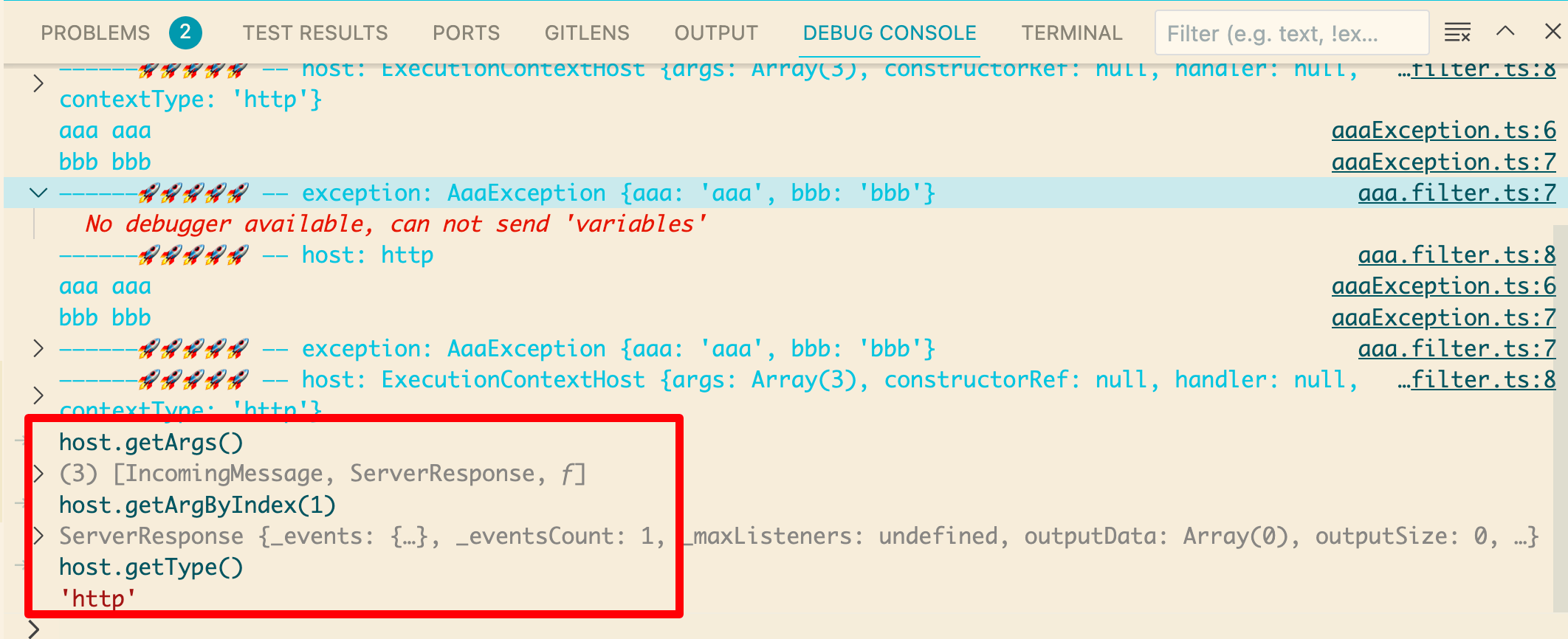
host.getArgs 方法就是取出当前上下文的 reqeust、response、next 参数。
host.getArgByIndex 方法是根据下标取参数。(这种按照下标取参数的写法不太建议用,因为不同上下文参数不同,这样写就没法复用到 ws、tcp 等上下文了)
getType 方法是获取当前请求类型为 http 请求。
当前是 http 请求,所以我们调用一下host.switchToHttp()方法,此时会多出来一些方法:
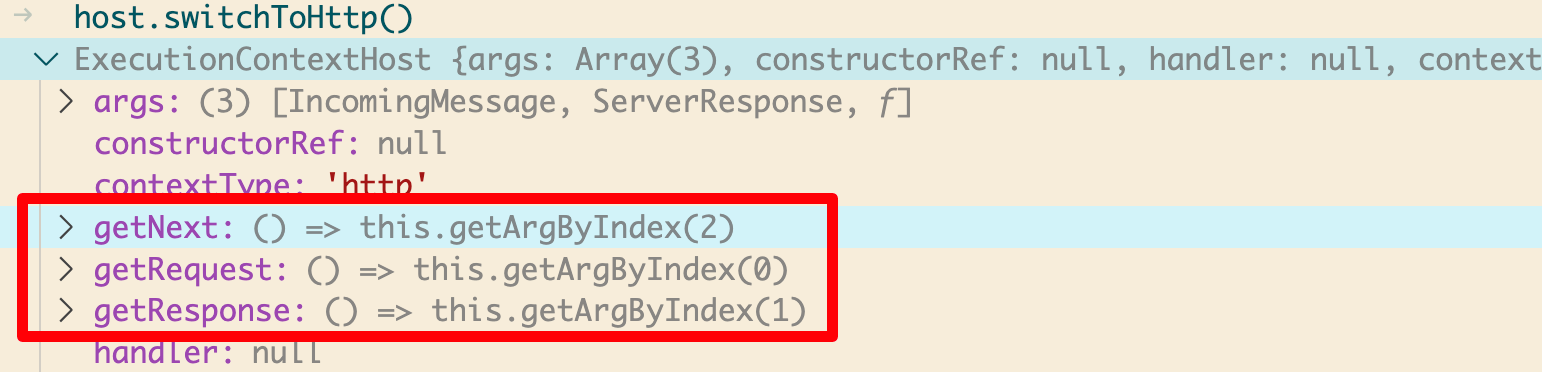
通过这些方法就能够获取到对应的上下文内容。
如果是 ws、基于 tcp 的微服务等上下文,就分别调用 host.swtichToWs、host.switchToRpc 方法。
最终用来处理不同服务的上下文的代码结构就类似于这样:
typescript1import { ArgumentsHost, Catch, ExceptionFilter } from '@nestjs/common'
2import { AaaException } from 'src/dto/AaaException'
3
4@Catch(AaaException)
5export class AaaFilter implements ExceptionFilter {
6  catch(exception: AaaException, host: ArgumentsHost) {
7    const type = host.getType()
8    switch (type) {
9      case 'http':
10        const ctx = host.switchToHttp()
11        const response = ctx.getResponse()
12        const request = ctx.getRequest()
13        response.status(200).json({
14          aaa: exception.aaa,
15          bbb: exception.bbb,
16          url: request.url,
17        })
18        break
19      case 'ws':
20        break
21      case 'rpc':
22        break
23      default:
24        break
25    }
26  }
27}
ArgumentHost 是用于切换 http、ws、rpc 等上下文类型的,可以根据上下文类型取到对应的 argument。
ExecutionContext
ExecutionContext 是 ArgumentHost 的一个子类。它是专用于 Guard 和 Interceptor 的上下文参数。
为了验证上面的结论,首先创建一个 guard:
bash1nest generate guard aaa --no-spec --flat
typescript1import { CanActivate, ExecutionContext, Injectable } from '@nestjs/common'
2import { Observable } from 'rxjs'
3
4@Injectable()
5export class AaaGuard implements CanActivate {
6  canActivate(context: ExecutionContext): boolean | Promise<boolean> | Observable<boolean> {
7    return true
8  }
9}
使用 guard:
typescript1@Controller()
2export class AppController {
3  constructor(private readonly appService: AppService) {}
4
5  @Get()
6  @UseGuards(AaaGuard)
7  getHello(): string {
8    return this.appService.getHello()
9  }
10}
context 的类型是 ExecutionContext,我们查看一下它的方法:
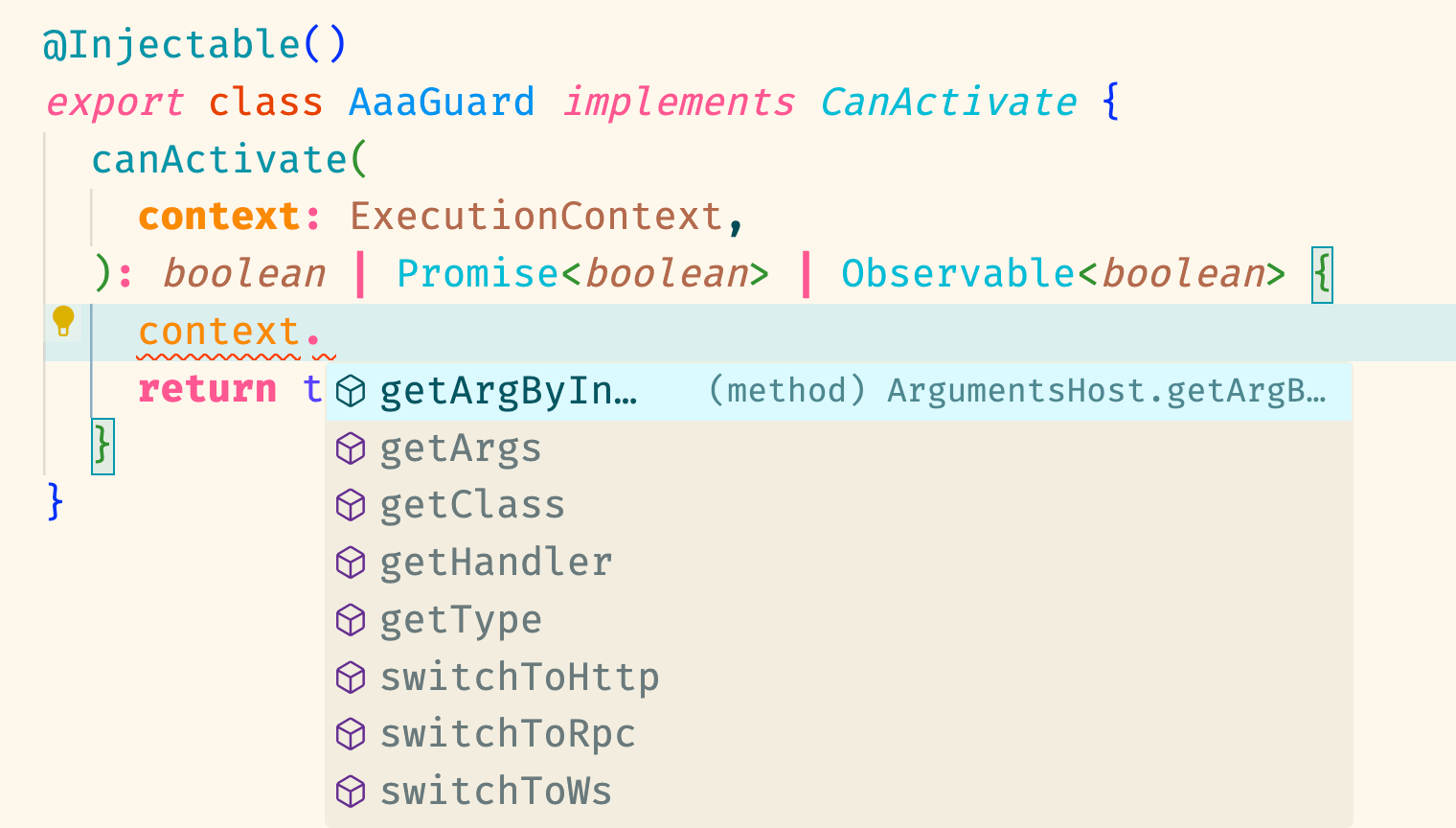
比 ArgumentHost 多了两个方法,以下是源码:
typescript1export interface ExecutionContext extends ArgumentsHost {
2  getClass<T = any>(): Type<T>
3  getHandler(): Function
4}
那么这两个方法能获得什么呢?通过断点查看一下:
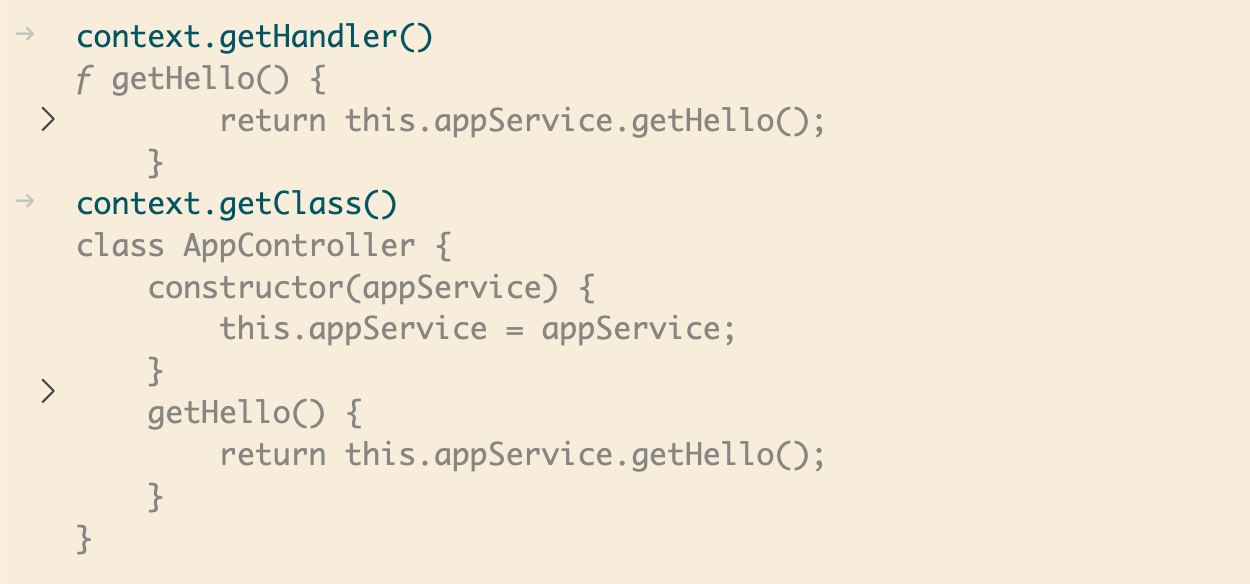
可以看到这两个方法分别得到了使用 guard 的路由以及它的 Controller。
为什么需要这两个方法呢?
因为 Guard、Interceptor 的逻辑可能要根据目标 class、handler 有没有某些装饰而决定怎么处理。
比如现在我有一个 metaData 在路由上:
ts1  @Get()
2  @SetMetadata('roles', ['admin'])
3  @UseGuards(AaaGuard)
4  getHello(): string {
5    return this.appService.getHello();
6  }
这段代码表示需要 admin 用户才能查看该路由。
然后在 guard 上设置路由守卫,根据用户的角色判断是否放行:
typescript1@Injectable()
2export class AaaGuard implements CanActivate {
3  @Inject(Reflector)
4  private readonly reflector: Reflector;
5  canActivate(
6    context: ExecutionContext,
7  ): boolean | Promise<boolean> | Observable<boolean> {
8    const requester = 'user';
9    const roles = this.reflector.get('roles', context.getHandler());
10    if (Array.isArray(roles) && roles.includes(requester)) {
11      return true;
12    }
13
14    return false;
15  }
这里我需要 Nest 注入 reflector,但并不需要在模块的 provider 声明。
由于requester是user,不符合该路由的 roles要求,所以 guard 不允许放行,我们来查看请求结果:

这说明 Guard 生效了。
这就是 Guard 里的 ExecutionContext 参数的用法。
Interceptor 也是同样的道理。
总结
为了让 Filter、Guard、Exception Filter 支持 http、ws、rpc 等场景下复用,Nest 设计了 ArgumentHost 和 ExecutionContext 类。
ArgumentHost 可以通过 getArgs 或者 getArgByIndex 拿到上下文参数,比如 request、response、next 等。
更推荐的方式是根据 getType 的结果分别 switchToHttp、switchToWs、swtichToRpc,然后再取对应的 argument。
而 ExecutionContext 还提供 getClass、getHandler 方法,可以结合 reflector 来取出其中的 metadata。
在写 Filter、Guard、Exception Filter 的时候,是需要用到这些 api 的。