 Oh-My-Note
结构与布局
背景宽度满幅,内容宽度固定
很多时候,我们有这样一种场景,就是有一个背景图片占满全屏,内容宽度是固定居中的,常见于页脚或者首页
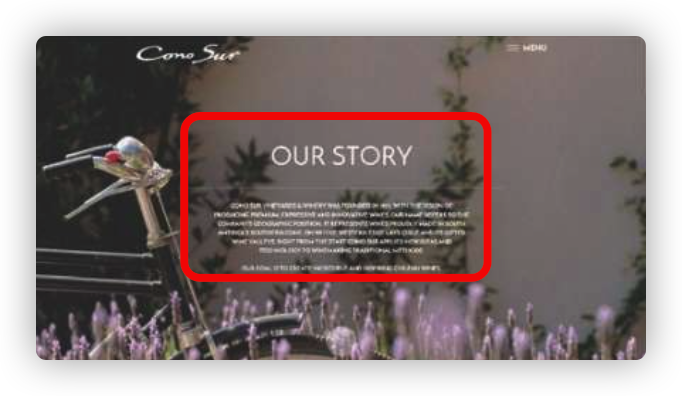
面对这种结构,我们的 html 往往会这样写
html1<footer>
2  <main></main>
3</footer>
然后给外层的元素实现满幅的背景,内层的元素用 margin:auto来实现水平居中。
现在我们有更加方便的实现方式,只需要一个元素即可
html1<footer></footer>
css1footer {
2  padding: 20px calc(50% - 450px); /* 假设内容需要900px 宽度*/
3  color: white;
4  background: #333;
5}
当计算时,会根据满屏的 1920 计算,将 padding 设置为左右 1920/2-450=510px,这样就给中间留了 450*2=900 的内容宽度了。
垂直居中
position+transform 解决
css1div {
2  border: 1px solid red;
3  width: 100px;
4  position: absolute;
5  left: 50%;
6  top: 50%;
7  transform: translate(-50% -50%);
8}
position+margin 值(元素自身宽高)解决
css1div {
2  border: 1px solid red;
3  width: 100px;
4  height: 100px;
5  position: absolute;
6  left: 50%;
7  top: 50%;
8  margin-left: -50px;
9  margin-top: -50px;
10}
父盒子设置 flexbox 解决
css1.parent {
2  width: 100%;
3  height: 100%;
4  display: flex;
5  justify-content: center;
6  align-items: center;
7}
父盒子设置 grid 解决
css1.parent {
2  width: 100%;
3  height: 100%;
4  display: grid;
5  justify-content: center;
6  align-items: center;
7}
这 tm 也可以
css1div {
2  width: 100px;
3  height: 100px;
4  position: absolute;
5  margin: auto;
6  top: 0;
7  bottom: 0;
8  left: 0;
9  right: 0;
10}
Sticky Footer 粘滞页脚
Sticky Footer 布局 所谓 “Sticky Footer”,并不是什么新的前端概念和技术,它指的就是一种网页效果: 如果页面内容不足够长时,页脚固定在浏览器窗口的底部;如果内容足够长时,页脚跟随内容后面。采用以下方法可快速完成:
calc
通过计算函数 calc 计算(视窗高度 - 页脚高度)赋予内容区最小高度,不需要任何额外样式处理,代码量最少、最简单。
html1<div class="content">.....</div>
2<footer class="footer">我知道了</footer>
css1.content {
2  min-height: calc(100% - 50px);
3}
4.footer {
5  height: 50px;
6}
flex 弹性布局
css1<div class="wrapper">
2  <div class="content">
3          ....
4  </div>
5  <footer class="footer">
6  </footer>
7</div>
css1.wrapper {
2  min-height: 100vh;
3  display: flex;
4  flex-direction: column;
5}
6
7.content {
8  flex: 1;
9}